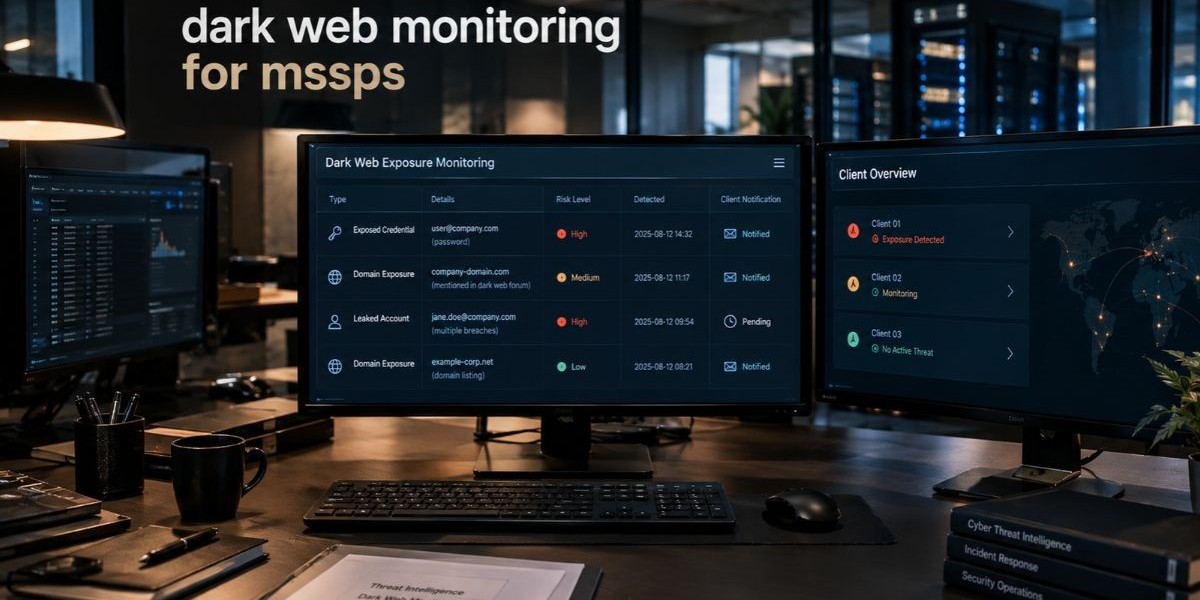

Your clients already pay you to watch their networks, endpoints and cloud accounts. What most of them cannot see is the part of the threat picture that sits outside their perimeter: stolen logins listed on criminal marketplaces, infostealer logs passed around in private channels and company names posted on ransomware leak sites. Dark web monitoring for MSSPs closes that gap by watching those places on behalf of every client and turning what it finds into alerts your analysts can act on.
This guide is written for MSSP owners, MDR leaders and security teams who are weighing whether to add the service, how to pick a platform and how to run it day to day. Instead of repeating a generic definition, it focuses on the operational side: where the data comes from, what a good alert looks like, how a multi-client rollout works and which mistakes cost providers time. If you want to see how a purpose-built tool handles this work, the dark web monitoring for MSSPs feature page shows one approach in practice.
What Is Dark Web Monitoring for MSSPs?
Dark web monitoring for MSSPs is a managed security capability in which a service provider continuously searches dark web marketplaces, breach forums, paste sites, closed chat channels and ransomware leak sites for data that belongs to its clients. When the monitoring finds exposed credentials, leaked documents, or mentions of a client brand, the MSSP verifies the finding, ranks its risk and tells the client what to do about it.
A few words in that definition matter. Continuously means the search never stops, because stolen data appears and disappears quickly. On behalf of its clients means the monitoring is scoped per client, with separate asset lists, alert rules and reports. Verifies and ranks is the part that separates a service from a raw data feed. A feed tells you something was found. A service tells the client whether it matters.
You will also see the same idea described as managed dark web monitoring, MSSP dark web monitoring, or dark web threat intelligence for MSSPs. The names change, but the core job does not: find exposure early, tell the right person and help the client close it before an attacker uses it.
How It Differs From Consumer Dark Web Scanning
Consumer tools check one email address against known breaches and send a one-time report. MSSP-grade monitoring covers whole domains, executive names, IP ranges and brand terms. It watches many clients at once, keeps their data separated and supports ongoing workflows such as ticketing, escalation and monthly reporting. That gap in scope is why a consumer scanner cannot simply be resold as a professional service.
How Dark Web Monitoring for MSSPs Works
Dark web monitoring for MSSPs works in five stages: collection, matching, enrichment, alerting and response. Each stage turns a pile of criminal chatter into something a client can use. Understanding the stages also helps you judge platforms, because weak tools usually fail at one specific step.
Collection. The platform gathers data from sources such as breach forums, dark web marketplaces, paste sites, messaging channels, ransomware leak sites and aggregated infostealer logs. Coverage and freshness here decide everything that follows.
Matching. The platform compares collected data to each client's watch list, which usually includes email domains, executive names, brand terms, product names and sometimes IP ranges or internal project names.
Enrichment. A raw match gets context: where it was posted, when, whether the credentials include a plaintext password or a hash, whether the data looks fresh or recycled from an old breach and which user or system it relates to.
Alerting. The platform sends a ranked alert to the right client workspace or ticketing system, so the finding reaches an analyst instead of getting lost in a shared inbox.
Response. Your team confirms the finding, recommends actions such as forced password resets or session revocation and records the outcome for reporting.
Where the Data Comes From
Not all dark web sources carry the same risk and a strong service treats them differently.
Infostealer logs. Infostealer malware collects saved browser passwords, session cookies and system details from infected machines. The harvested data is packaged into logs and sold or shared. These logs matter because they can include live session tokens, which may let an attacker skip the password step entirely.
Breach forums and marketplaces. Criminals post and sell database dumps, credential lists and access to compromised networks. Forums come and go as law enforcement takes them down and new ones appear, so a platform has to keep adapting its source list.
Ransomware leak sites. Groups that practice double extortion publish victim names and sample files to pressure payment. A client or a client's vendor appearing here is a high-priority event.
Paste sites and chat channels. Smaller leaks and credential combos often show up first in paste sites and closed messaging groups, sometimes days before they reach larger forums.
From Alert to Action
A useful alert answers four questions without making the analyst dig: what was exposed, how fresh it is, how serious it is and what should the client do now. If the platform cannot answer those, the burden falls on your analysts and the service stops scaling past a handful of clients.
Why MSSPs Need Dark Web Monitoring
MSSPs need dark web monitoring because stolen credentials remain one of the most common ways attackers get in and most clients have no visibility into whether their credentials are already circulating. Adding the service lets you detect that exposure before it becomes an incident and it gives you a recurring, easy-to-explain deliverable that clients understand.
There are four practical reasons this belongs in an MSSP portfolio.
First, it covers a blind spot. Endpoint, network and log monitoring tell you what is happening inside the environment. They do not tell you that an employee's password was captured by an infostealer last week and is now for sale. Dark web monitoring supplies that outside-in view.
Second, it supports a proactive posture. Most managed security work is reactive: something fires, you investigate. Exposure monitoring lets you act before the attack, for example by resetting a compromised account before anyone tries to use it for credential stuffing.
Third, it strengthens client retention. Clients rarely see the value of quiet months when nothing goes wrong. A monthly report that shows what was found and fixed makes your work visible in a way that firewall logs never will.
Fourth, it creates a clean upsell path. Clients who start with basic monitoring often move toward deeper services such as executive protection, vendor risk monitoring, or incident response retainers once they see real findings.
The Business Case Without the Guesswork
Many providers hesitate because they cannot predict revenue or workload. Pricing models vary widely between platforms and providers and any figure quoted without knowing your client mix would be a guess, so this guide does not offer one. What you can estimate reliably is your own cost structure: platform licensing, analyst time per alert and reporting effort per client. A multi-tenant platform with white-label reporting reduces the last two, which is where most of the margin is won or lost.
Key Features to Look For in an MSSP Dark Web Monitoring Platform
The right platform for an MSSP is built around multiple clients from the start, not adapted from a single-company product. The features below separate tools that scale from tools that create extra work as your client list grows. A dedicated platform built for dark web monitoring for MSSPs should cover most of this list natively rather than through workarounds.
Multi-Tenant Architecture
Multi-tenant design means each client lives in an isolated workspace with its own watch list, alerts, users and reports, all managed from one provider console. Without it, you end up with spreadsheets, shared logins and a real risk of showing one client another client's data. Ask how isolation is enforced, not just whether it exists.
Role-Based Access Control
Role-based access control, or RBAC, lets you decide who sees what. Your tier one analysts, your account managers and the client's own security staff need different permissions. Good RBAC also supports audit trails, which matters when a client asks who viewed a sensitive alert.
White-Label and Branding Options
White-label dark web monitoring lets you present the service under your own brand, including the dashboard, reports and sometimes the domain. Clients then see one provider, yours, instead of a third-party logo. If you plan to resell, check how much of the experience is brandable and whether the vendor offers a partner or reseller program with clear terms.
Source Coverage and Freshness
Ask which source types are covered, how new sources are added and how quickly collected data becomes searchable. Coverage claims are hard to verify from a sales page, so request a trial against a real client domain and see what comes back. Treat any vendor that quotes unverifiable numbers about the size of its data lake with caution.
Infostealer and Credential Coverage
Because infostealer logs drive many modern account takeovers, the platform should handle stolen credential monitoring with detail: the exposed email, the source, the date and whether session data was included. Stale breach records mixed with fresh infostealer data make triage harder, so look for tools that label recency clearly.
Alert Quality and Noise Control
Alert fatigue is the fastest way to sink the service. Look for deduplication, severity scoring and the ability to suppress known-benign matches per client. Test the platform with a client that has a common brand name, since generic terms tend to produce the noisiest results.
Integrations and API Access
A dark web monitoring API lets you push findings into your existing stack: ticketing, SIEM, SOAR and reporting tools. If your analysts must log into yet another console for every alert, adoption will drop. Check the available integrations against the tools you already run.
Reporting for Clients and Executives
Reports should work at two levels: a technical view for the client's IT team and a plain-language summary for executives. Automated, scheduled, brandable reports save hours every month and give you a recurring touchpoint with each client.
Comparing Delivery Models for Dark Web Monitoring
MSSPs usually choose among four ways to deliver the service: manual analyst research, a generic threat intelligence feed, a single-tenant monitoring tool, or a multi-tenant white-label platform. The table below compares them on the factors that matter most to a provider running many clients.
Delivery Model | Setup Effort | Scales Across Many Clients | Client-Facing Branding | Reporting | Best Fit |
Manual analyst research | Low to start, high ongoing | Poor, depends on analyst hours | Fully custom, built by hand | Hand-written for each client | Very small client lists or one-off investigations |
Generic threat intelligence feed | Moderate, needs filtering and mapping | Limited, feeds are rarely organized by client | Usually none | Needs custom tooling | Teams with strong in-house intel analysts |
Single-tenant monitoring tool | Moderate per client | Weak, often one deployment per client | Limited | Basic, per instance | Enterprises monitoring only their own brand |
Multi-tenant white-label platform | Low once configured | Strong, built for many isolated clients | Brandable dashboards and reports | Automated and scheduled per client | MSSPs and MSPs building a repeatable service line |
The pattern in the table is simple. The more clients you serve, the more the cost of manual work and one-off setups compounds. Providers with only a handful of clients can get by with research and feeds. Once the client list grows, a purpose-built multi-tenant approach is usually the only model that keeps margins healthy.
Reactive Versus Proactive Monitoring
Another useful comparison is timing. Reactive monitoring investigates the dark web after an incident to learn what the attacker obtained. Proactive monitoring watches continuously and flags exposure before an attack lands. Both have value, but only the proactive model changes outcomes, because it gives the client a window to rotate credentials and revoke sessions while the stolen data is still unused.
Building the Workflow Around the Alerts
A platform finds the exposure, but your process decides whether the client benefits. Providers who treat alerts as a workflow, not a notification, get better results and fewer escalations.
A Simple Triage Playbook
Most MSSPs settle on a version of the following steps.
Confirm the match. Check that the exposed domain, user, or asset actually belongs to the client and is not a lookalike.
Judge freshness. Compare the date of exposure with the date of the user's last password change. A match on an old breach where the password has since changed is low risk.
Check the data type. Plaintext credentials, session cookies and VPN or remote access logins deserve faster action than a hashed password from a years-old dump.
Assess privilege. Exposure of an administrator, finance user, or executive account jumps the queue.
Recommend action. Typical steps include forcing a password reset, revoking active sessions, enforcing multi-factor authentication and checking recent sign-in activity for the account.
Close and record. Log what happened so the monthly report reflects real outcomes.
Who Talks to the Client
Decide in advance who contacts the client for each severity level. A critical finding, such as exposed admin credentials with live session data, should trigger a direct call or priority ticket. Lower-severity findings can roll into a weekly or monthly summary. Agreeing on these thresholds with the client during onboarding prevents arguments later.
Onboarding a New Client
Strong onboarding sets up the monitoring for success. Collect the client's primary and secondary domains, brand and product names, executive names and any subsidiaries. Build the watch list, run an initial exposure baseline and share the results in a short kickoff report. That first report often delivers the most visible value of the entire engagement, because it surfaces years of accumulated exposure at once.
Common Mistakes MSSPs Make With Dark Web Monitoring
Providers who struggle with this service rarely fail because of the technology. They fail because of expectations and process. Watch for these patterns.
Selling it as a guarantee. Dark web monitoring reduces risk and shortens detection time. It cannot promise to find everything, because closed forums and private channels are not fully reachable. Set honest expectations in contracts and sales conversations.
Forwarding raw alerts. Sending clients a list of matches without context trains them to ignore your emails. Add a recommendation to every finding.
Skipping the baseline. Starting monitoring without an initial exposure review means the first alerts look like a flood of new problems, when many are old records.
Ignoring third-party exposure. Vendor and supply chain mentions on leak sites can affect your client even when the client's own systems are fine. Include key vendors in the watch list where the platform allows it.
Using one workspace for everyone. Mixing clients in a shared view creates privacy and reporting problems. Insist on isolated tenants.
Neglecting follow-through. A reset recommendation that nobody confirms is an open risk. Track each action to closure.
Treating it as a standalone product. The service works best when it connects to identity management, MFA enforcement and incident response, not when it sits alone.
Evaluation Checklist for Choosing a Platform
Use this list during demos and trials. A strong answer to most items suggests the platform fits MSSP operations.
Does the platform isolate each client in its own tenant with separate watch lists and reports?
Does it support RBAC with different roles for analysts, account managers and client users?
Can you brand the dashboard and reports as your own?
Which source types does it cover, including infostealer logs, breach forums, marketplaces, paste sites and ransomware leak sites?
How does it label the age and type of exposed data?
Can you tune alerts per client to cut false positives?
Does it offer an API and integrations for your ticketing, SIEM, or SOAR tools?
Are scheduled client reports automated?
What do the partner or reseller terms look like and is the program documented clearly?
Will the vendor let you trial it against a real client domain before you commit?
Take the checklist into at least two vendor conversations. Comparing real answers is more useful than comparing marketing pages.
Interesting Facts and Key Stats
The points below come from widely cited public sources. They are described by source type so you can check the latest editions yourself, since annual reports update their figures each year.
Annual breach investigation reports, such as the Verizon Data Breach Investigations Report, have repeatedly identified stolen credentials among the leading ways attackers gain initial access, year after year across multiple editions.
IBM's annual Cost of a Data Breach research has reported that breaches starting with stolen or compromised credentials are among the slowest to identify and contain, which supports the case for earlier detection.
The MITRE ATT&CK framework catalogs the use of valid accounts as a recognized technique for initial access, persistence and privilege escalation, which shows how central stolen logins are to real intrusions.
NIST Special Publication 800-63B guidance on digital identity recommends screening new passwords against lists of known compromised values, a principle that dark web monitoring extends to ongoing exposure checks.
In October 2024, law enforcement agencies in several countries announced Operation Magnus, which disrupted the RedLine and META infostealer operations, according to public announcements from the agencies involved. The action shows how significant infostealer malware has become as a source of stolen data.
The double extortion model, in which attackers steal data and threaten to publish it in addition to encrypting systems, was widely reported to have gained traction around 2019 and is a reason ransomware leak site monitoring has become a standard part of the service.
Conclusion
Dark web monitoring for MSSPs gives your clients something they cannot build alone: ongoing visibility into stolen credentials, leaked data and ransomware listings that sit completely outside their own tools. For you, it adds a service that is easy to explain, easy to report on and a natural step toward broader exposure management and incident response work.The choice that matters most is the delivery model. Manual research and generic feeds work for a small client base, but a multi-tenant platform with RBAC, white-label reporting and an API is what lets you add clients without adding headcount at the same pace. Define your triage workflow, set honest expectations with clients, run a baseline at onboarding and track every recommendation to closure. When you are ready to see how this looks in a working platform, explore what Mispar offers MSSPs.
Frequently Asked Questions (FAQs)
What is dark web monitoring for MSSPs?
Dark web monitoring for MSSPs is a managed service in which a provider watches dark web marketplaces, breach forums, paste sites and ransomware leak sites for exposed client data. The MSSP verifies each finding, ranks its risk and advises the client on how to respond.
How do MSSPs add dark web monitoring to their services?
Most MSSPs adopt a multi-tenant monitoring platform, build a watch list for each client, run an initial exposure baseline and set up alert routing and monthly reports. A defined triage playbook and clear client communication rules complete the rollout.
What features should an MSSP look for in a dark web monitoring platform?
Look for multi-tenant isolation, RBAC, white-label reporting, strong infostealer and credential coverage, noise control and API access. These features keep the service manageable as the client list grows.
Is white-label dark web monitoring worth it for MSSPs?
White-label monitoring lets you present the service under your own brand, which strengthens client relationships and supports resale. It is most valuable when you serve many clients and want consistent, automated reporting without building tools yourself.
What types of data does dark web monitoring detect?
It typically detects leaked credentials, infostealer log entries, exposed documents, brand and executive mentions and client or vendor listings on ransomware leak sites. Coverage varies by platform, so test with a real client domain.
Can dark web monitoring prevent a data breach?
It cannot guarantee prevention, because no tool sees every closed channel. It does reduce risk by flagging exposed credentials early, giving clients time to reset passwords and revoke sessions before attackers use them.